
By Cody Wise, Founder, Wise Media. Last updated 2 September 2026. All prices in CAD.
Summary
A real WordPress maintenance plan in Canada covers seven things: staging-tested core, theme and plugin updates; offsite backups with a tested restore; security monitoring and hardening; uptime monitoring; performance checks; a named response window for critical vulnerabilities; and ownership of your commercial plugin licences. Published Canadian rates run roughly $120 to $500 CAD per month for a professional plan. The two clauses almost nobody quantifies are the response window and the licence ownership, and they are the two that decide what happens to you in a bad week.

Table of contents
- What should a WordPress maintenance plan include?
- What does it cost in Canada in 2026?
- The clause nobody quantifies: the response window
- The second clause nobody quantifies: who owns the licences
- What “we update plugins weekly” actually bought you in August 2026
- Backups: the one line that disqualifies a plan
- Should you just do it yourself?
- Audit your current plan in fifteen minutes
- Common mistakes
- FAQ
What should a WordPress maintenance plan include?
Answer first. At minimum: core, theme and plugin updates applied on a staging copy and checked before they touch the live site; daily offsite backups with a restore that has actually been tested; a security plugin or firewall with monitoring and alerting; uptime monitoring; a monthly performance and broken-link check; a written response window for critical vulnerabilities; and clear ownership of every commercial plugin and theme licence the site depends on.
| Line item | What good looks like | What to watch for |
|---|---|---|
| Updates | Applied on staging, visually checked, then pushed live. Rollback plan documented | “Automatic updates enabled” is not maintenance. It is a setting |
| Backups | Daily, stored offsite, retention stated, restore tested at least twice a year | Backups stored on the same server as the site |
| Security | Firewall, malware scanning, login hardening, admin account review | Scanning with no one reading the alerts |
| Uptime | Monitored at one to five minute intervals with alerting to a human | Monitoring that emails an address nobody checks |
| Performance | Monthly Core Web Vitals and image weight check, database cleanup | A screenshot of a score with no action taken |
| Response window | A stated number of hours for a critical CVE, including weekends | “Best effort” or no mention at all |
| Licences | Named licences, held in your name or transferable on exit | Agency-held licences that die when the relationship does |
| Reporting | What was updated, what broke, what was fixed | An automated PDF listing plugin version numbers |
What is not maintenance
- Hosting. Managed hosting overlaps with maintenance but does not replace it. Your host will not test whether a plugin update broke your booking form.
- SEO. A separate discipline with separate deliverables.
- New features or design changes. Those are project work, and a plan that promises “unlimited changes” is either capped in the small print or priced for it.
- Content updates, unless the scope names them and defines what counts as a small task.
What does a WordPress maintenance plan cost in Canada in 2026?
Answer first. Published Canadian rates for a professional managed plan sit at roughly $120 to $500 CAD per month. Below about $75 CAD per month you are buying automation with no human review. Above about $1,000 CAD per month you are into enterprise scope with dedicated security resourcing.
| Tier | Published monthly range (CAD) | What you actually get | Suits |
|---|---|---|---|
| DIY | $0 to $50 | Auto-updates, a free security plugin, a backup plugin you configured once | A hobby site you can afford to lose |
| Budget managed | $50 to $120 | Automated updates, offsite backups, basic monitoring. Little or no human testing | Brochure sites with no forms, no bookings, no checkout |
| Professional | $120 to $500 | Staging-tested updates, tested restores, monitoring, small tasks, a stated response window, and often premium plugin licences included | Any site that generates enquiries or revenue |
| Enterprise | $1,000+ | Daily or continuous updates, dedicated security, contractual SLA | Ecommerce at scale, regulated sectors, high traffic |
These are published market rates, not quotes. Verify current pricing directly with any provider before budgeting. As a reference point, the Canadian provider Web321 publishes a professional tier at $123 to $321 CAD per month with a $250 CAD onboarding fee for complex ecommerce or LMS migrations, and estimates that the premium plugin licences bundled into a plan would cost $1,500+ CAD a year bought individually.
Three Canadian cost factors most guides skip
- Currency. A plan advertised at $99 USD is not $99. Add the exchange rate and any foreign transaction fee and compare like for like. Ask every provider to quote in CAD.
- GST and provincial tax. A Canadian provider invoices with GST or HST, which matters for your input tax credits. A foreign provider generally does not, which is not automatically cheaper once your accountant is involved.
- Time zone and data residency. If your provider’s business hours end when yours begin, your response window is theoretical. Hosting inside Canada also simplifies your PIPEDA position, though it is not by itself a compliance answer.
The clause nobody quantifies: the response window
Every maintenance page on the internet says “we keep your site updated.” Almost none say how fast, and speed is the entire product.

The number that should reframe your thinking
In June 2026 WordPress.org launched Protect the Shire, an initiative that holds every new plugin and theme release before the update system distributes it. The hold started at up to 24 hours and was reduced to roughly six hours by mid-July 2026. Its purpose is to stop supply chain attacks, and it is a reasonable trade.
Here is the part almost nobody has connected for site owners. Patchstack has argued that the hold applies to security patches at the same duration as routine releases, and puts the median time to mass exploitation of a high-impact vulnerability at around five hours. The analysis is covered by The Repository.
Read those two numbers together. If the distribution hold is six hours and mass exploitation begins around five, then for a serious flaw the patch is not necessarily arriving ahead of the attack. Waiting passively for auto-updates to fire is no longer a plan. Somebody has to be watching the vulnerability feeds and pulling the update manually when it matters.
What to ask for, in writing
- What is your response window for a CVSS 9.0 or higher vulnerability affecting a plugin on my site?
- Does that window apply on evenings, weekends and statutory holidays?
- Which vulnerability feeds do you monitor, and who reads them?
- Will you apply an emergency patch without waiting for my approval, and is that authorisation documented?
- If a patch breaks the site, what is the rollback procedure and who pays for the fix?
An honest provider will answer all five in a paragraph. A provider that cannot answer question one is selling you plugin updates, not protection.
The second clause nobody quantifies: who owns your plugin licences
Answer first. If the commercial plugin and theme licences on your site are registered to your agency rather than to you, then on the day that relationship ends your update button stops working. Not gradually. Immediately, on the licences that lapse.

This is not theoretical and it is not rare. The premium builder and forms layer that a typical small business WordPress site is actually made of is commercially licensed. Page builders, form plugins, membership plugins, booking plugins and premium themes usually update through a dashboard registration tied to a valid purchase token or subscription. No host can push those updates for you, because the update does not come from WordPress.org.
The three questions that surface it
- List every commercial plugin and theme on my site and tell me whose account each licence sits in. Get the list, not a reassurance.
- Which of those licences are currently active, and when does each renew? A lapsed licence is the single most common reason a client site is running an unpatched premium plugin.
- If we part ways, which licences transfer to me and which do I have to repurchase? Get this answered before you sign, not during an exit.
A note on accuracy, because this claim circulates in a distorted form. For marketplace themes, item support is time-limited, while item updates generally are not. The practical failure mode is dashboard registration with a valid purchase token, not an expired download right. Check the registration state on the site, not the purchase date on the receipt.
What “we update plugins weekly” actually bought you in August 2026
Maintenance is usually argued in the abstract. It does not have to be. August 2026 supplied a stack of dated, named, extremely severe examples in the exact plugin layer small business sites run on. We covered the full owner’s runbook in six critical WordPress flaws landed in three weeks, and the Elementor Pro case separately in the CVE-2026-32475 runbook.
The pattern worth extracting for this article is not the CVE numbers. It is these four points.
- Severity clustered at the top of the scale. Multiple flaws in that window scored 9.8, and one scored 10.0. These were unauthenticated, meaning an attacker needs no account on your site.
- Several led to administrator takeover rather than file upload. That matters enormously for how you verify you are clean. Checking plugin version numbers is not sufficient. You also have to check for administrator accounts you did not create.
- One flaw in the sweep set was confirmed exploited in the wild, with a security vendor reporting hundreds of blocked attempts within a single 24 hour period. Exploitation is not hypothetical.
- The commercially licensed plugins were the hardest to patch, for exactly the licence reason above.
So when a maintenance provider says “we update plugins weekly”, the honest translation is: on a bad week, your site was exposed for up to six days on a flaw that requires no login to exploit. That may be an acceptable risk for a brochure site. It is not acceptable for a site taking bookings or payments.
Backups: the one line that disqualifies a plan
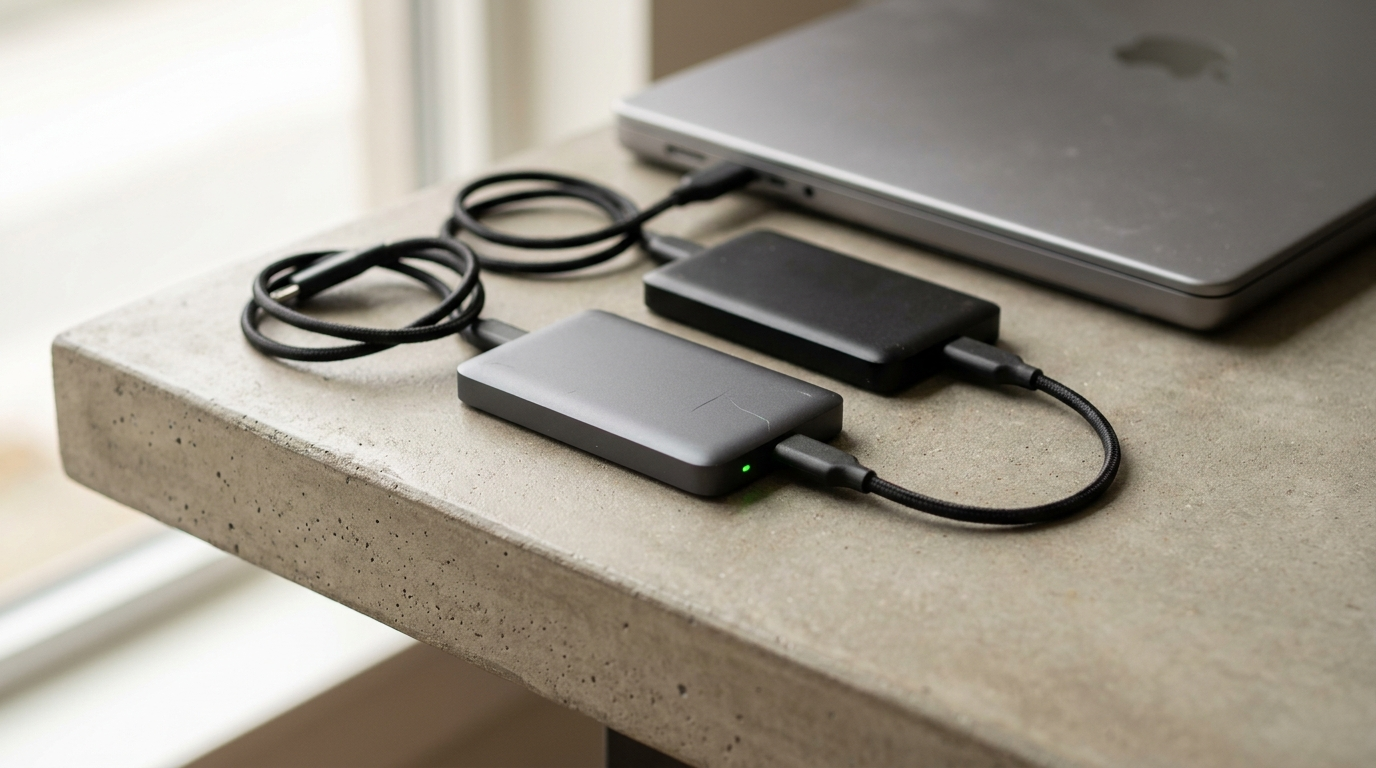
If a maintenance plan does not include offsite backups, walk away. A backup stored on the same server as the website dies with the server, and is equally available to anyone who compromises it. Ransomware operators look for local backups first.
The four backup questions
- Frequency. Daily is the baseline. If your site takes orders or bookings, ask for real-time or hourly database backups.
- Location. A different provider, not just a different folder.
- Retention. Thirty days minimum. A site can be quietly compromised for weeks, so a three-day retention window can mean every backup you hold is already infected.
- Restore testing. The only question that matters. Has anyone actually restored this site from a backup, and when? An untested backup is a belief, not a control.
Should you just do it yourself?
Sometimes, honestly, yes. Here is the decision without the sales pitch.
| Do it yourself | Pay a provider | |
|---|---|---|
| Direct cost | $0 to $50 CAD a month plus your time | $120 to $500 CAD a month |
| Realistic time cost | 2 to 4 hours a month, plus emergencies | Roughly 30 minutes reading reports |
| Works well when | Brochure site, few plugins, no forms or payments, you are comfortable with staging and FTP | The site generates enquiries or revenue, or uses commercial plugins |
| Main failure mode | You are on holiday when the critical CVE lands | You bought a cheap plan that only automates updates |
| Hidden cost | A malware cleanup and the ranking damage that follows it | Scope creep billed as project work |
Pros and cons of a managed plan
Pros: somebody is watching vulnerability feeds so you do not have to; updates are tested before they reach customers; backups are offsite and tested; premium licences are often bundled, which offsets a meaningful part of the fee; and there is a named person to call at 9pm on a Friday.
Cons: it is a recurring cost on a site that may go months without incident; scope boundaries can be vague; a cheap plan can create false confidence, which is worse than no plan because you stop checking; and if the provider holds your licences you have created a dependency you did not intend.

Audit your current plan in fifteen minutes
Send this to your current provider. The quality of the answers tells you more than any sales page.
- List every commercial plugin and theme on my site and whose account holds each licence.
- Which of those licences are active, and when does each renew?
- What is your response window for a CVSS 9.0+ vulnerability, including weekends?
- Where are my backups stored, how long are they retained, and when was a restore last tested?
- Are updates applied on staging first, and what is the rollback procedure?
- How many administrator accounts exist on my site right now, and who are they?
- What is explicitly out of scope, and what is your rate for that work?
- If we part ways, what do you hand over, and in what format?
Question six is the sleeper. Several 2026 vulnerabilities produced administrator takeover, so an unexplained admin account is a stronger signal than a plugin version number. If nobody can answer it in a day, that is your answer.
Common mistakes
| Mistake | What it costs |
|---|---|
| Buying on price alone | A $40 plan and a $3,000 malware cleanup is not a saving |
| Assuming managed hosting is maintenance | Your host will not notice that a plugin update broke your contact form |
| Leaving licences in the agency’s name | You cannot patch your own site the week you switch providers |
| Never testing a restore | You discover the backup is broken on the worst day of the year |
| Enabling auto-updates and calling it done | Untested updates break live sites, and the distribution hold means auto-updates may not beat exploitation anyway |
| Comparing a USD plan to a CAD plan | You choose the more expensive option believing it is cheaper |
| No documented owner for the security decision | Everyone assumes someone else is watching the feeds |
Frequently asked questions
How much should a WordPress maintenance plan cost in Canada?
Published Canadian rates for a professional managed plan run roughly $120 to $500 CAD per month. Budget plans sit at $50 to $120 CAD and typically automate updates without human testing. Enterprise scope starts around $1,000 CAD. Verify current pricing with each provider, and insist on CAD quotes so you are comparing like for like.
Do I need a maintenance plan if my host does automatic updates?
Usually yes. Hosts update WordPress core and sometimes free plugins. They do not update commercially licensed plugins and themes, which is where the most severe 2026 vulnerabilities were, and they do not test whether an update broke your forms, checkout or booking flow.
What is a reasonable response time for a critical WordPress vulnerability?
For a CVSS 9.0 or higher flaw affecting a plugin on your site, ask for hours rather than days, and ask whether that window covers evenings and weekends. Context: Patchstack puts median time to mass exploitation of a high-impact flaw at around five hours, and WordPress.org’s distribution hold currently sits at around six hours.
Who should own my premium plugin licences?
You should, or the agreement should state clearly that they transfer to you on exit. Licences held only in an agency account mean that when the relationship ends, the update mechanism for those plugins stops working on your site until you repurchase.
How often should WordPress plugins be updated?
Routine updates weekly on staging is a reasonable baseline. Security updates for actively exploited or CVSS 9.0+ vulnerabilities should be applied on discovery, not on the schedule. Those are two different processes and a plan should describe both.
Are Canadian providers worth paying more for?
They are frequently not more expensive once the exchange rate is included. The practical advantages are CAD invoicing with GST or HST for your input tax credits, overlapping business hours so your response window is real, and Canadian data residency if that matters to your privacy position.
What happens if I do nothing?
Most months, nothing. The risk is not gradual, it is a step function: one unauthenticated critical vulnerability in a plugin you forgot you installed. The downstream costs are cleanup, potential data exposure, and search visibility damage that outlasts the technical fix.
The bottom line
Most maintenance plans are sold on a list of tasks. Tasks are the easy part. The two clauses that decide what actually happens to your business are the response window on a critical vulnerability and the ownership of your plugin licences, and those are precisely the two that almost nobody puts in writing.
Ask for both in writing before you sign anything. If your current provider will not answer, you have learned what you are paying for.
Wise Media builds and maintains WordPress sites for Canadian businesses. Scope, response windows and licence ownership are stated up front, in CAD. See our website packages and website growth packages.
Tell us about your site and get a scoped quote. We will start with the licence list and the last tested restore.
This article is general information about website operations and is not legal or security advice for your specific site.