
A contractor website books jobs when it does four things fast: proves the work with real project photos, names the exact service area, answers the price question with a range instead of silence, and puts a quote request within one tap on mobile. Design awards are irrelevant. In Canadian trades, the site that gets called is the one that removes doubt in under thirty seconds.
Summary
- Most contractor leads arrive on a phone, often from a truck cab or a job site, which means tap-to-call and a short quote form matter more than any hero animation.
- Photos of your own completed work outperform stock imagery by a wide margin, because homeowners are buying evidence, not adjectives.
- Service area pages are the single highest-return SEO structure for trades. One page per city or quadrant you actually serve, not a list of forty towns on one page.
- Publishing a price range filters out the wrong callers. Contractors who hide pricing entirely get more calls and fewer jobs.
- Expect a real contractor site to cost between $3,500 and $15,000 in Canada depending on service-area page count, gallery volume and whether you need estimate scheduling. Template builds land lower, multi-trade companies land higher.
- Response speed beats web design. A mediocre site with a five-minute callback outperforms a beautiful site with a next-day reply, every time.

Table of Contents
- Why most contractor websites do not book jobs
- What pages does a contractor website actually need?
- The trust stack: what homeowners check before they call
- Service area pages and local SEO for trades
- Should you put prices on a contractor website?
- What does a contractor website cost in Canada?
- Common mistakes that quietly kill conversions
- Frequently asked questions
Why Do Most Contractor Websites Fail to Book Jobs?
Most contractor websites fail because they were built to look finished rather than to answer a homeowner’s three questions: do you do my exact job, do you work in my area, and roughly what will this cost. A site that leaves any of those unanswered forces the visitor back to Google, where a competitor answers them on the first screen.
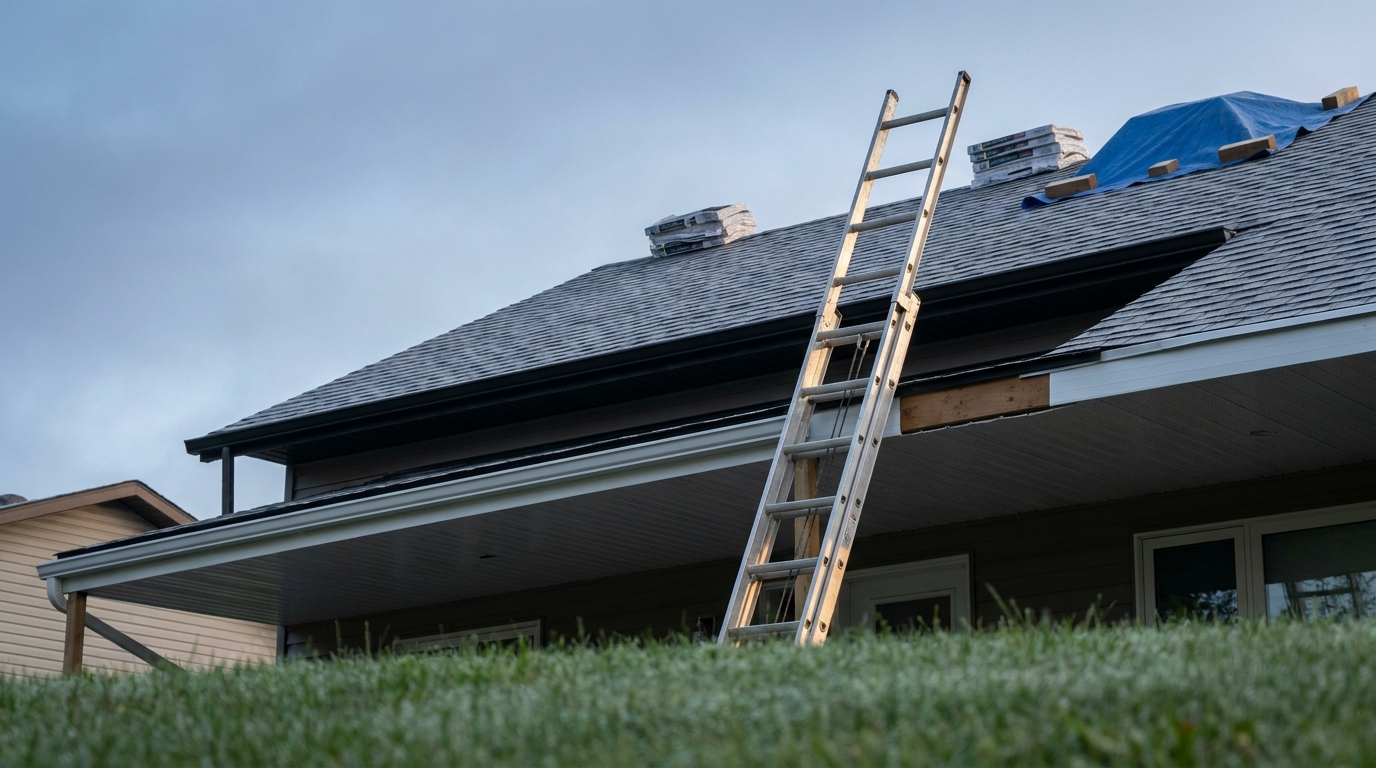
Walk through the typical journey. Someone in Airdrie has water staining a ceiling. They search “roof leak repair Airdrie” on a phone, at night, mildly stressed. They open three tabs. Tab one is a page of stock photography and a paragraph about family values founded in 1998. Tab two lists services but the coverage map stops at Calgary city limits. Tab three shows four photos of a repaired roof in Airdrie, a line saying emergency calls answered within two hours, and a phone number that dials when tapped. Tab three gets the call. None of that is a design decision. It is an information decision.
The three failure patterns
- The brochure. Beautiful, slow, and silent on scope. Usually built by a designer who never asked what a qualified lead looks like.
- The directory clone. A template with the trade name swapped in, generic copy, and stock photos of a crew that is not yours. Homeowners recognise these instantly.
- The abandoned build. Launched in 2019, still lists a service you dropped, still shows a phone number that rings a retired foreman. This is more common than any agency admits.
There is a fourth pattern worth naming because it is expensive: the site that generates enquiries nobody answers. If your form emails a shared inbox that gets checked at 7pm, you are paying for traffic and donating it. We wrote about that failure mode in detail in the speed to lead guide, and it applies harder to trades than almost any other industry, because homeowners with an active problem call the next name on the list within minutes.
What Pages Does a Contractor Website Actually Need?
A contractor website needs a home page, one page per core service, one page per service area, a project gallery, an about page with real faces, a reviews page, and a quote request page. That is the minimum viable structure. Everything else is optional until those seven are strong.
| Page | Job it does | What kills it |
|---|---|---|
| Home | Confirm trade, area and credibility in one screen | Vague slogans, no phone number above the fold |
| Service page (one per trade) | Match the exact search term and scope | Bundling six services onto one page |
| Service area page | Rank for “trade + city” and prove local presence | Copy-pasted text with the city name swapped |
| Project gallery | Supply visual proof and before/after evidence | Stock photos, or twelve photos of the same job |
| About | Put faces, licences and years behind the brand | Founder story with no photo of an actual person |
| Reviews | Aggregate third-party proof in one place | Unattributed testimonials with no source |
| Quote request | Capture scope, address and urgency | Fourteen required fields |
How many fields should the quote form have?
Five or fewer on the first step. Name, phone, postal code, service type, and a short description. Everything else can be collected on the callback. If you need photos of the problem, add an optional upload, not a required one.
A three-step form that shows progress usually outperforms a single long form, because each step feels trivial. Step one asks what the job is. Step two asks where. Step three asks who to call and when. The psychological trick is that by step three the visitor has already invested effort and is far more likely to finish. Build the form so that a partial submission still captures the phone number, so an abandoned step three is still a lead you can chase.
What belongs above the fold on mobile?
- Trade plus primary city, written plainly. “Roofing and eavestrough in Calgary and Airdrie.”
- A tap-to-call button using a real
tel:link, not an image of a phone number. - One line of differentiation that is checkable: licensed, insured, years in operation, warranty length.
- A single photo of your own completed work, compressed properly so it loads in under two seconds on LTE.
The Trust Stack: What Homeowners Check Before They Call
Homeowners hiring a contractor are managing risk, not shopping for style. They check, in rough order: recent reviews, photos of comparable jobs, licensing and insurance, how long you have operated, and whether a real human appears anywhere on the site. Satisfy those five and the design only needs to not get in the way.
Proof that actually persuades
- Before and after pairs from the same angle. A single “after” photo is decoration. A matched pair is evidence.
- Job cards with location and scope. “Kitchen refit, Bowness, three weeks, moved a load-bearing wall” tells a homeowner more than any adjective.
- Named reviews with a source. A Google review with a first name and last initial beats an anonymous glowing paragraph. Pull them from your Google Business Profile rather than inventing new ones.
- Licence numbers and insurance carriers, written out. In Alberta, a prepaid contractor licence number is public and verifiable. Publishing it costs nothing and removes an objection.
- Photos of the actual crew and vehicles. Not a stock team in matching polos. Homeowners are about to let these people into their house.
Warranty language is a conversion lever
Most contractors bury the warranty in a PDF or mention it verbally on site. Put it on the page. “Two-year workmanship warranty on all installations, in writing, transferable to a new owner” is a sentence that closes jobs, because it converts an abstract worry into a stated term. If your warranty is thin, say what it is anyway. Vagueness reads as evasion.
The visual side of trust matters too, but less than most designers claim and in a specific way: consistent spacing, real photography and restrained type make a small company look established. We broke down the actual mechanics of that effect in how to make a website feel premium, and every one of those levers applies to a trades site.
Service Area Pages and Local SEO for Trades
Service area pages are the highest-return structure on a contractor website. Build one substantive page for each city, town or quadrant you genuinely serve, each with local project photos, local review quotes, travel notes and any regional specifics. Do not build fifty thin pages for towns you have never worked in. Google has been demoting doorway pages for years and homeowners can smell them.
The service area page formula
- Open with the answer. “We install and repair asphalt and metal roofing throughout Cochrane and Bragg Creek, typically on site within 48 hours.”
- Prove local work. Three to six photos of jobs in that area, with street or neighbourhood names where the homeowner has agreed.
- Add genuine local specifics. Chinook freeze-thaw cycles on Alberta roofs, coastal moisture on the Lower Mainland, ice damming in Ontario. This is the content Google cannot generate from a template and the reason the page ranks.
- Include local reviews. Two or three quotes from customers in that town.
- Repeat the same conversion path. Tap-to-call, quote form, response time promise.
A useful rule of thumb: if you cannot write 400 words of genuinely area-specific content for a location, you should not have a page for it. Fold it into a neighbouring page instead.
Schema markup that matters for contractors
- LocalBusiness or a more specific subtype such as
RoofingContractor,HVACBusiness,PlumberorElectrician, with your real NAP details. - Service with
areaServedpointing at the cities on your service area pages. - AggregateRating only if it reflects genuine, verifiable reviews. Fabricating this is a fast route to a manual action.
- FAQPage on service pages, using the questions customers actually ask on the phone.
Pair the site structure with a fully completed Google Business Profile, because for most trade searches the map pack sits above the organic results. The profile and the website reinforce each other: consistent NAP data, matching service categories, and photos uploaded to both. If organic is slow to build, paid search fills the gap, and the choice between standard search ads and Local Services Ads is genuinely situational. We compared the two for Canadian service businesses in this breakdown.

Should You Put Prices on a Contractor Website?
Yes, in ranges, with the variables named. Publishing “bathroom renovations typically run $18,000 to $45,000 depending on layout changes, plumbing relocation and fixture selection” does not lose you jobs. It loses you the calls you were going to lose anyway, three unpaid site visits later.
The objection is always the same: every job is different. That is true and it is not a reason for silence. It is a reason to publish the range plus the three variables that move it. Homeowners are not holding you to the number. They are checking whether they are in the right ballpark before they invite a stranger into their home.
Three ways to publish price without committing
- Range with drivers. “Most of our re-roofs land between $9,000 and $22,000. The three things that move it are square footage, roof pitch, and whether the decking needs replacing.”
- Starting-at with a floor. “Minimum service call $180. Most repairs complete in one visit.” This is the honest way to say you do not take $60 jobs.
- Interactive estimator. A short calculator that returns a rough range based on three or four inputs, then asks for contact details to send the detailed version. Costs more to build, converts well when the pricing logic is real.
One caution: whatever you publish, keep it current. A price range from 2023 in a market where material costs have moved does more damage than no range at all, because it sets an expectation you will have to walk back on the call.

What Does a Contractor Website Cost in Canada?
In 2026, a professionally built contractor website in Canada generally runs between $3,500 and $15,000. A single-trade operator with one service area sits at the bottom of that band. A multi-trade company with a dozen service area pages, an estimate scheduler and a project gallery sits at the top. DIY builder templates come in far cheaper and cost more later in lost enquiries and rebuilds.
| Build type | Typical range | Best fit | Real trade-off |
|---|---|---|---|
| DIY builder template | $0 to $600 per year | Brand new operator testing demand | Slow, generic, hard to rank, no service area structure |
| Freelancer template customisation | $1,500 to $4,000 | Single trade, one city | Quality varies wildly, support often ends at launch |
| Agency custom build | $5,000 to $15,000 | Established company, multiple services and areas | Higher upfront, needs a real content input from you |
| Custom plus lead system | $12,000 to $30,000 | Multi-crew operations wanting CRM, scheduling, automated follow-up | Only pays back if you have the call volume to systemise |
These are market ranges for Canadian builds, not quotes. Verify against your own scope. Our broader breakdown of what drives web build pricing across industries is in the Canadian website cost guide, and the ongoing side of the equation, hosting, updates, security and backups, is covered in the website maintenance cost guide.
Where the money actually goes
- Content and photography. Usually the biggest hidden cost and the biggest determinant of results. A half day with a photographer on two of your own job sites changes the site more than any template upgrade.
- Service area page production. Ten genuinely differentiated pages take real writing time. This is where cheap builds cut and where rankings are won.
- Forms, routing and notifications. Getting a lead to the right phone within a minute is engineering, not design.
- Speed work. Compressing a gallery of 60 job photos so the page still loads in under two seconds on a rural LTE connection.
If you want a scoped figure rather than a range, our website packages lay out what is included at each tier, and ongoing SEO and content work sits in the growth packages.
Common Mistakes That Quietly Kill Contractor Websites
- Stock photos of other people’s work. The single fastest way to signal that you are new, small, or hiding something. Your worst iPhone photo of your own job beats the best stock image.
- A contact form with no phone number. Trades customers call. Roughly the entire emergency segment of your market will not fill in a form.
- Hero video that delays first paint. A 12MB background video on a mobile connection is a bounce, not a brand statement.
- No service area clarity. If a homeowner cannot tell in five seconds whether you come to their town, they leave.
- One giant “Services” page. You cannot rank for “furnace repair” and “duct cleaning” and “AC install” from a single URL. Split them.
- Reviews that live only on Google. Embed or quote them on the site. Do not make people leave to find your proof.
- Forms that email one inbox. Route to SMS as well. In trades, the response window is measured in minutes.
- Ignoring the gallery after launch. A gallery whose newest job is from two years ago suggests you stopped working.
- Missing licence and insurance details. Cheap to add, and their absence is conspicuous to careful buyers.
- No plan for seasonality. A furnace company’s site should not look identical in July and November. Swap the hero offer.
A pre-launch checklist
- Tap-to-call works on iOS and Android from every page
- Every service you sell has its own URL and its own H1
- Every service area you cover has a page with local proof
- At least 20 photos of your own completed work, compressed to WebP
- Quote form tested end to end, with the notification landing on a phone
- Google Business Profile categories match your service page names
- Licence number, insurance and warranty stated in plain language
- Largest Contentful Paint under 2.5 seconds on a throttled mobile connection
- A visible last-updated or “serving X since” signal so the site does not read as abandoned
How to Decide What to Build First
If you have a limited budget, spend it in this order: proof, then structure, then polish. Photography and reviews come first because they convert the traffic you already have. Service pages and service area pages come second because they generate new traffic. Visual refinement comes last because it multiplies the first two rather than replacing them.
| Situation | Do this first |
|---|---|
| Getting calls but they are the wrong jobs | Publish price ranges and tighten service scope copy |
| Traffic but almost no enquiries | Fix the mobile conversion path and add real project proof |
| No traffic at all | Google Business Profile plus service area pages, then paid search to bridge |
| Enquiries arriving but not converting | Cut response time, not the website |
| Expanding into a new city | One deep service area page with local jobs, before any ad spend |
Paid search deserves a note. Trades are one of the few sectors where ads can be profitable from week one, because intent is unambiguous and jobs carry real ticket value. But sending paid clicks to a site that fails the trust stack is expensive tuition. Fix the destination first, then buy traffic. If you want that handled together, our paid advertising packages are built to run alongside a site that has already been made to convert.
Frequently Asked Questions
Do contractors really need a website if they get work from referrals?
Yes, because referrals check you online before they call. A referred homeowner who searches your company name and finds nothing, or finds an abandoned page, hesitates. The website’s job for referral traffic is not lead generation, it is confirmation. That alone justifies a basic professional site.
WordPress or a website builder for a contractor site?
WordPress for anyone who intends to rank locally, because service area page structures, schema control and content scaling are far easier. Builders such as Squarespace or Wix are fine for a single-location operator who only needs a credibility page and does not plan to compete in organic search. The deciding question is whether you will publish more pages over time. If yes, WordPress.
How many service area pages should a contractor have?
As many as you can support with genuine local content and real project photos, usually between five and fifteen for a regional operator. Quality beats quantity decisively here. Five strong pages outrank thirty thin ones, and thin location pages risk being treated as doorway pages.
How long does it take to see results from a new contractor website?
Conversion improvements show up immediately, within the first week of traffic, because they act on visitors you already have. Local organic rankings typically take three to six months to move meaningfully, longer in competitive metros. Google Business Profile optimisation often produces the fastest visible lift, sometimes within weeks.
Should the website show the crew and the trucks?
Yes. Homeowners are deciding whether to let strangers into their home. Photos of the actual crew, branded vehicles and equipment lower that perceived risk more efficiently than any amount of copy. It also makes the company harder to confuse with the template competitors in the same market.
The Bottom Line
A contractor website is not a portfolio. It is a filter and a phone line. It should tell a homeowner in seconds what you do, where you do it, roughly what it costs, and why you are safe to let into the house. Get proof, structure and response speed right and the design will carry a small company further than a large budget carries a vague one.
Build a Site That Books Jobs
If your current site is a brochure and you want it turned into a booking system, start with our website packages and then tell us about your trade and service area through the intake form. We will come back with a scoped plan, not a template.